
Settings
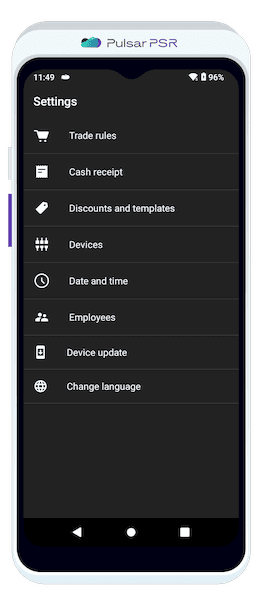
Customize your terminal settings for a seamless business experience.
Trade Rules
Fine-tune your sales operations by configuring essential trade parameters.
Receipt Printing
Choose the number of printed receipts (0, 1, or 2) per transaction.
Sales Display Mode
Customize how products appear during sales:
- 🔹As a list: Compact and structured.
- 🔹Large tiles: Bigger icons for easy selection.
- 🔹Small tiles: Space-efficient option.
Barcode and Stock Management
Allow identical barcodes for different items. Enable negative stock balances to continue sales even when inventory runs out.
Visual & Document Preferences
Display product photos to enhance product identification. Set document retention periods to control data storage. Disable shift opening/closing reports if unnecessary. Enable auto-printing of revenue reports for quick insights. Enable cash collection upon shift closure for better financial tracking.
Tax & Payment Methods
Set tax rates for freely priced items. Accept various payment methods to ensure flexibility for customers. Cash Receipt Settings Customize how your receipts look and function.
Receipt Customization
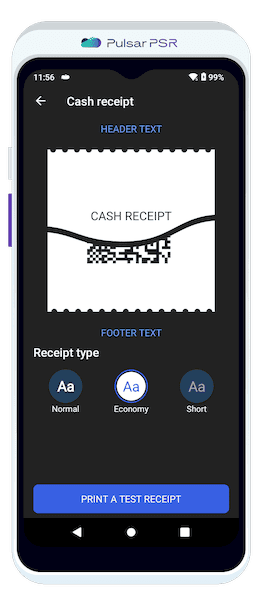
Personalize the receipt header and footer with your store details.
Choose from three receipt formats:
- 🔹Standard: Full-length receipt.
- 🔹Economy: Optimized for paper-saving.
- 🔹Short: Minimalist layout.
Print a test receipt to preview the setup.
Discounts & Templates
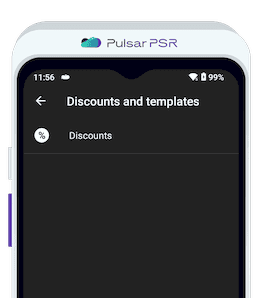
Control pricing strategies with preset discount settings.
Set a maximum discount percentage to prevent excessive markdowns.
Date & Time Settings
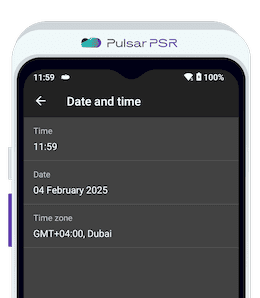
Ensure accurate transaction timestamps by setting the correct system time.
Adjust system time and time zone for accurate reporting.
Employee Management
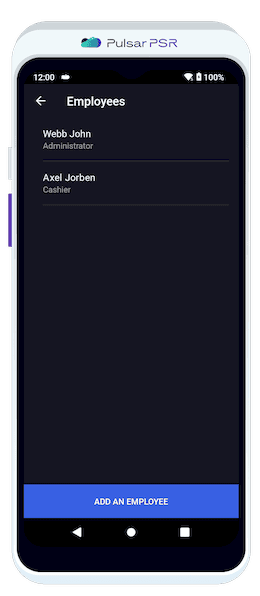
Control terminal access by managing employee credentials.
Assign names, roles, and PIN codes for secure authentication.
Device Updates
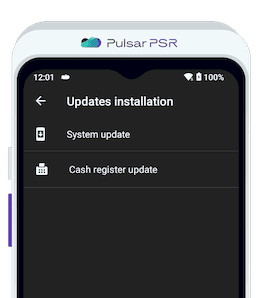
Keep your terminal running smoothly with regular software updates.
Check for and install firmware updates manually to ensure your system is up to date.
Change Language
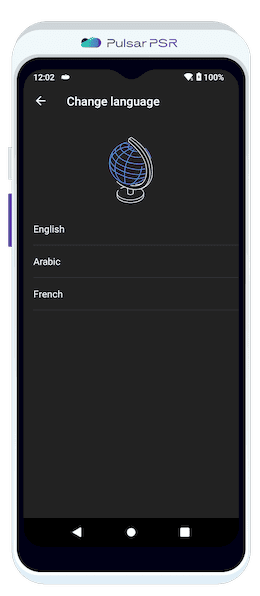
Adapt the interface to your preferred language for a better user experience.
Select from English, Arabic, or French.